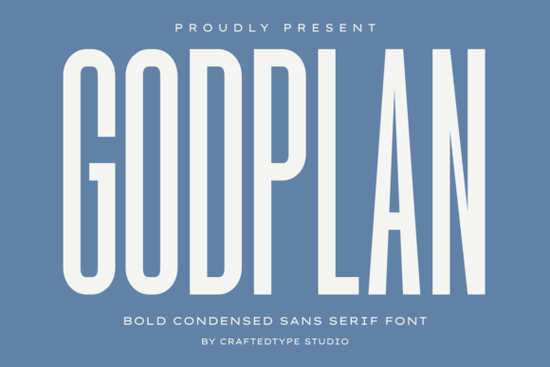
If you're working on a design that needs to grab attention without taking up much space, the Godplan Font might be exactly what you’re looking for. This bold, condensed sans serif typeface delivers strong visual impact through its tall, narrow letterforms and heavy strokes ideal when every inch of your layout counts. Whether you’re printing motivational quotes on t-shirts, designing gym wear, or crafting social media banners that need to stand out in a crowded feed, Godplan brings a clean, modern authority to your message.
What makes this font especially useful for creators is how well it performs in tight spaces. Its compact width means you can fit more text horizontally without sacrificing legibility or presence. That’s a big advantage for Print On Demand (POD) sellers who often work within fixed print areas like mug wraps, tote bags, or phone cases. Plus, because it’s fully PUA encoded, accessing special characters and stylistic alternates is straightforward in most design software no digging through glyph panels required.
Where does Godplan work best?
Godplan shines in contexts where confidence and clarity matter. Think:
- Motivational posters – Pair short, punchy phrases with high-contrast backgrounds for maximum effect.
- Sports or fitness branding – The font’s muscular structure complements athletic themes naturally.
- Urban streetwear designs – Its architectural sharpness fits right in with minimalist or edgy apparel styles.
- Cinematic-style titles – Use it for YouTube thumbnails, short film intros, or event promos that need dramatic weight.
- Social media graphics – Even at small sizes, Godplan holds up well on Instagram stories or TikTok overlays.
Because it comes in both OTF and TTF formats, compatibility isn’t an issue across platforms whether you’re using Canva, Adobe Illustrator, Affinity Designer, or Silhouette Studio.
How does it compare to other bold sans serifs?
Not all condensed fonts carry the same energy. For example, if you’ve used something like the Battle Army Stencil, you know it leans into rugged, military-inspired aesthetics with cut-out details. Godplan, by contrast, is sleeker and more contemporary no stencil breaks, just solid, uninterrupted forms.
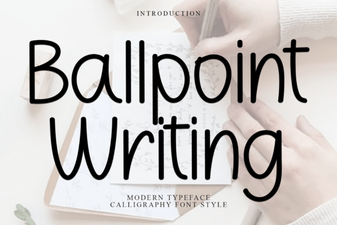
Or consider the Ballpoint Writing Font, which mimics casual handwriting and works great for personal or journal-style projects. Godplan is the opposite: structured, assertive, and built for visibility over intimacy.
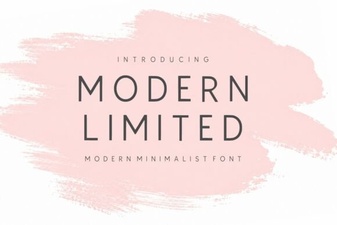
If you’re exploring options in the same family but want something less intense, the Modern Limited Font offers a lighter, more refined take on condensed sans serifs great for luxury or editorial use. But when you need your words to land with force, Godplan steps up without shouting.
Is it beginner-friendly?
Yes. You don’t need advanced typography skills to use Godplan effectively. Because it’s a single-weight display font (not part of a large variable family), there’s no confusion about which style to pick. Just install it, type your message, and adjust size or spacing as needed. Its simplicity actually encourages cleaner layouts fewer decisions mean faster execution, which matters when you’re managing multiple POD listings or client deadlines.
That said, a few quick tips help you get the most out of it:
- Avoid long paragraphs. Godplan is a display font best for headlines, logos, or short statements.
- Give it breathing room. Increase letter-spacing slightly if stacking uppercase letters; tight default tracking can feel cramped at large sizes.
- Pair wisely. Combine it with a neutral, lightweight sans serif (like Montserrat Light or Lato) for body text to maintain balance.
You can find the Godplan Font on Creative Fabrica, where it’s available for personal and commercial use under their standard license a solid choice for small businesses and side hustlers alike.
Ready to try it?
Before you commit, ask yourself:
- Do I need a font that commands attention in limited space?
- Is my project bold, modern, and message-driven?
- Am I creating for print, apparel, or digital visuals where clarity at scale matters?
If you answered yes to most of these, Godplan could be a reliable addition to your toolkit. And if you’re already browsing Creative Fabrica, check out the Godplan product page for live previews and licensing details.
Next step: Download a test version (if available) or create a mockup with placeholder text to see how it performs in your actual design context before finalizing your purchase.
Download Now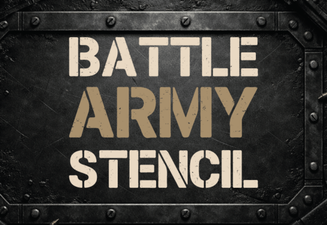 Battle Stencil Fonts: Designing Bold Military Graphics
 The Ballpoint Pen's Digital Font Revival
 Modern Limited Font Projects for Creative Designers
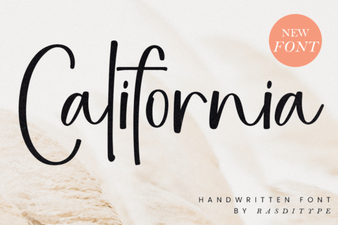 California Font Design Style & Inspiration Guide
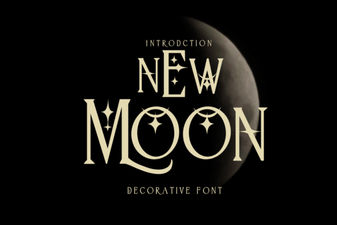 New Moon Font: Design, Download & Creative Uses
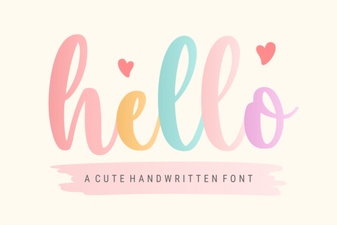 Hello Font: Creative Designs for Your Projects